





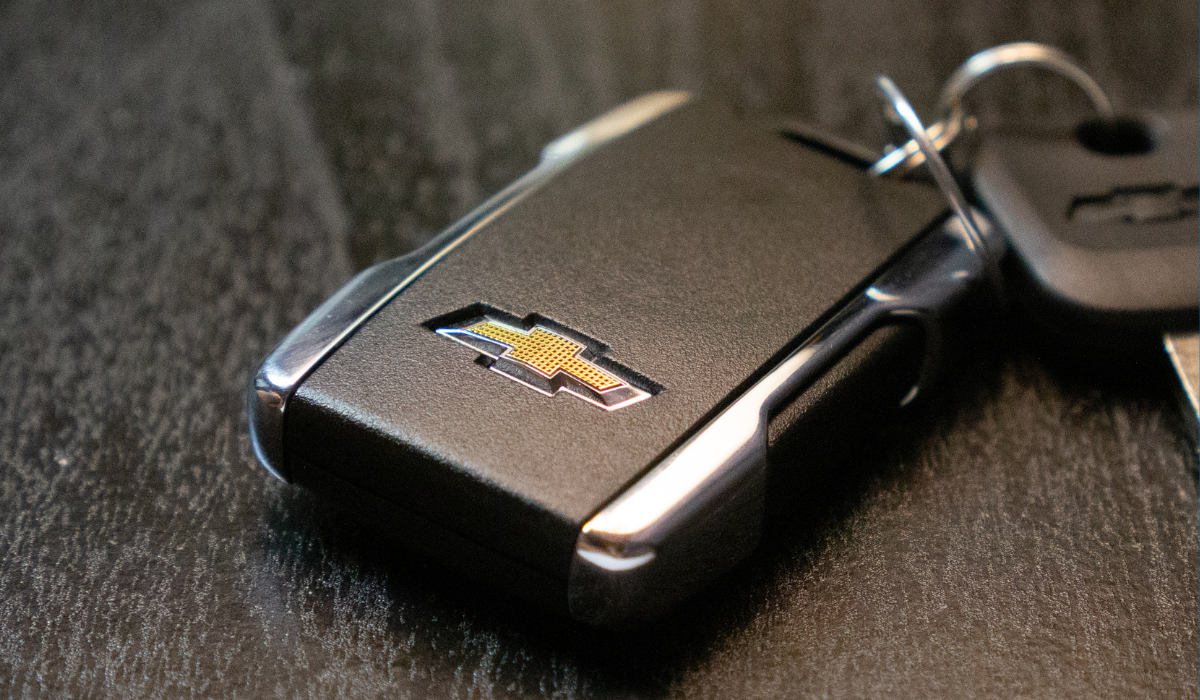
Learning how to change the battery in your Chevrolet key fob is quick, easy, and requires only a few basic tools. Most Chevy key fobs use a CR2032 or CR2450 battery and can be replaced in under five minutes, often without any reprogramming required.
If your Chevrolet key fob is slow to respond, only works up close, or shows a “key fob battery low” warning, it’s likely time for a replacement. Follow this guide to get your key fob working like new again.
What Battery Does a Chevrolet Key Fob Use?
Most Chevrolet key fobs use one of the following batteries:
- CR2032 3-volt battery (common in older models and many standard remotes)
- CR2450 3-volt battery (used in some newer Chevrolet models)
You can confirm the correct battery type by:
- Checking the label inside the key fob
- Looking in your owner’s manual
- Matching the old battery once it is removed
Pro Tip: These batteries typically cost under $5 and are available at hardware stores, pharmacies, and online retailers.
Chevrolet Key Fob Battery by Year
While designs vary by model, battery usage often follows this general pattern:
- Pre-2020 Chevrolet key fobs: CR2032
- 2020 and newer Chevrolet key fobs: CR2450 in many models
Always double-check before purchasing because these batteries are not interchangeable.
Tools You’ll Need to Change a Chevy Key Fob Battery
You do not need special equipment. Gather:
- A small flathead screwdriver
- The metal key included in newer fobs (optional)
- A new CR2032 or CR2450 battery
- A clean, flat workspace
That’s it. No dealership visit required.
How to Change Battery in Chevrolet Key Fob (Step-by-Step)
The process depends on the type of key fob you have. Follow the instructions that match your Chevrolet remote.
Smart Key or Push-Button Start (Newest Style)
Common in newer Chevrolet models with keyless ignition.
- Press the button on the side of the fob to remove the metal key.
- Insert the metal key into the slot at the bottom of the fob and gently twist to open it.
- Remove the old battery using a flathead screwdriver.
- Insert the new battery with the positive (+) side facing down.
- Snap the fob back together and reinsert the metal key.
- Test all buttons to confirm proper operation.
Flip Key (2010 to 2016 Chevrolet Models)
Found in many older Chevy vehicles.
- Press the button to flip out the metal key.
- Carefully remove the back cover.
- Take out the old battery.
- Insert the new battery with the positive side facing down.
- Snap the cover back into place.
- Test the remote functions.
Standard Remote Key Fob (Older Models)
Used in earlier Chevrolet vehicles such as Silverado, Suburban, and Tahoe.
- Locate the small slot along the edge of the fob.
- Use a flathead screwdriver to pry the fob open.
- Remove the old battery.
- Insert the new battery with the positive side facing up.
- Press the fob halves together until they click.
- Test the lock, unlock, and panic buttons.
Signs Your Chevrolet Key Fob Battery Is Dying
Do not wait until it stops working completely. Common warning signs include:
- You must press buttons multiple times
- The fob only works when very close to the vehicle
- Lock and unlock functions work intermittently
- Reduced operating range
- A “key fob battery low” message appears on the dashboard
Most Chevy key fob batteries last three to four years with normal use.
Chevrolet Key Fob Not Working After Battery Change?
If your key fob still is not responding after replacing the battery, try these troubleshooting tips:
- Double-check battery orientation (positive side up or down)
- Clean battery contacts with a cotton swab
- Confirm the fob is snapped together securely
- Press and hold the lock and unlock buttons for 10 to 15 seconds to reset
Do You Need to Reprogram a Chevrolet Key Fob?
In most cases, no reprogramming is required after a battery replacement. However, some models may need to be re-synced. Check your owner’s manual for model-specific instructions. If problems continue, our Platinum Certified Chevrolet service center can help.
How Long Does It Take to Change a Chevy Key Fob Battery?
For most drivers, the process takes less than five minutes. It is one of the easiest DIY maintenance tasks you can do and can save a trip to the dealership.
When to Visit a Certified Chevrolet Service Center
If your key fob:
- Still does not work after troubleshooting
- Has physical damage
- Needs reprogramming
- Or you prefer professional help
A certified Chevrolet service center can diagnose the issue quickly using factory-approved tools and procedures.
Keep Your Chevrolet Key Fob Working Like New
Knowing how to change the battery in your Chevrolet key fob helps you avoid getting stuck with a remote that will not respond. A simple battery replacement can restore full functionality and keep your routine running smoothly.
If you need assistance with battery replacement or key fob programming, the certified service team at Platinum Chevrolet is here to help. Schedule Service Today!
Connect with us


- Affordable Chevy Cars
- Black Friday Deals
- Blazer EV
- Chevrolet Blazer
- Chevrolet Bolt
- Chevrolet Equinox
- Chevrolet Service
- Chevrolet Silverado
- Chevrolet Spring Maintenance
- Chevrolet Suburban
- Chevrolet Summer Service Checks
- Chevrolet Towing Capacity
- Chevrolet Trailblazer
- Chevrolet Traverse
- Chevrolet Trax
- Chevrolet Trucks
- Chevrolet Work Trucks
- Electric Vehicles
- Equinox EV
- Platinum Chevrolet Service
- SANTA ROSA Chevrolet Dealer
- SANTA ROSA Chevrolet Service
- Santa Rosa New Cars
- Santa Rosa New Trucks
- SANTA ROSA Used Cars
- Uncategorized